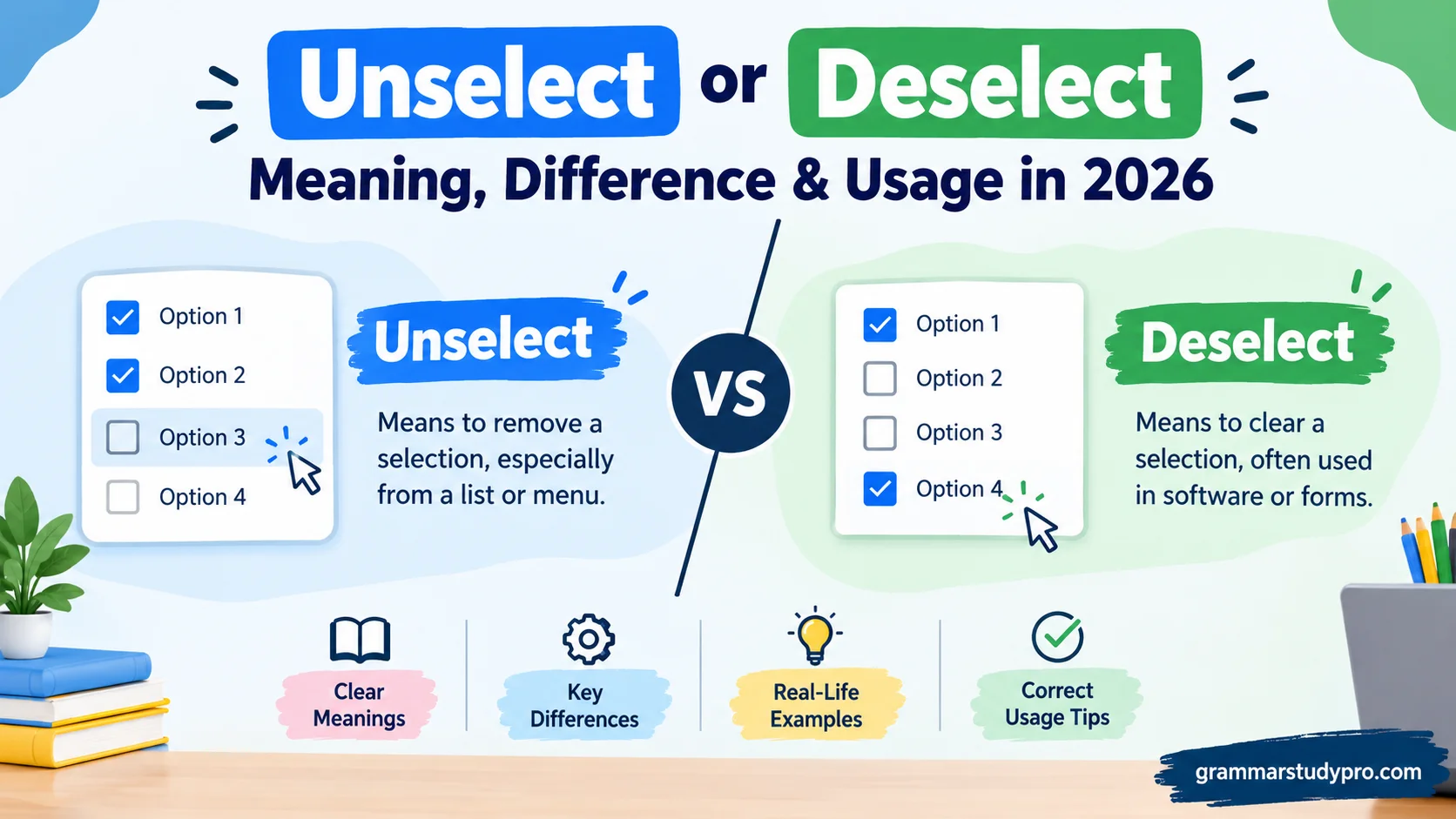
When I work with Unselect or Deselect in technical writing, documentation, or software UI, I focus on clear microcopy. Every word and term carries weight, especially in fast-paced tech environments. Choosing the right style improves clarity and consistency, helping users understand interfaces. Beginners may wonder whether unselect or deselect should be used because these terms are sometimes interchangeably applied to checkbox options, drop-down menus, a button, or a label. In my practice, I prefer deselect for professional digital products, apps, and websites because it is widely recognized and preferred in official specs and professional documentation.
The difference becomes clearer when we examine the action. Deselect specifically refers to removing a selection that was previously selected, such as clicking a checkbox to undo a choice. Unselect can be understood, but its acceptance and precision are less consistent in standard English. This can create confusion when writers, designers, and developers see both forms used side by side in systems. Good language should feel natural, while still following strict linguistic rules. That tension explains why both forms exist, although they are not equally standard. A clear verb in UI text can prevent an unclear instruction from confusing a user or an entire team.
Understanding this debate makes it easier to choose the right word with confidence. Unselect and deselect may appear interchangeable, but deselect is generally the correct and more intentional choice when you write product instructions, menus, or other professional writing. These terms have been shaped by real tech usage, so you may encounter unselect in some examples and systems. Still, clear, simple instructions and full understanding usually make deselect the more familiar option. It also supports consistency across an entire product, making the choice easier for both writers and users to understand.
Quick Answer
Deselect and unselect can both mean to remove something from a selected state.
However, deselect is generally the better choice when you’re writing standard English, technical documentation, UX instructions, or professional content.
For example:
- Select the files you want to upload.
- Deselect the files you don’t want to upload.
The word unselect can also communicate the same action:
- Unselect the files you don’t want to upload.
The second sentence is understandable. It isn’t mysterious or grammatically impossible. However, deselect is usually the more conventional term for reversing a selection.
There is also an important distinction between deselect, uncheck, clear, and remove. These words describe different actions even though users sometimes treat them as interchangeable.
Modern technical documentation regularly uses deselect. For example, MDN’s documentation for HTML <select> controls explicitly discusses selecting and deselecting options.
Simple rule: If you’re unsure whether to use unselect or deselect, choose deselect.
Comparison Overview
| Feature | Deselect | Unselect |
| Basic meaning | Reverse a selection | Reverse a selection |
| Meaning understood by readers | Yes | Yes |
| Common in technical writing | Yes | Less consistent |
| Common in software terminology | Yes | Yes, in some products |
| Suitable for UI instructions | Yes | Yes, depending on product terminology |
| Suitable for formal writing | Generally preferred | Context-dependent |
| Means delete | No | No |
| Means remove a checkmark | Sometimes | Sometimes |
| Means remove an item completely | No | No |
| Best default choice | Yes | Usually not |
The overlap is substantial. The difference lies mainly in convention, frequency, and context, rather than in a completely different definition.
That distinction matters because language isn’t built like a mathematical equation. Two words can make sense while one remains much more natural to experienced writers and users.
Main Differences Between Unselect and Deselect
The biggest difference between unselect and deselect isn’t what the action does. Both can describe reversing a selection.
The bigger issue is which form sounds more established in a particular context.
Deselect Is the More Conventional Technical Term
In computing, deselect commonly describes an item that was selected and is no longer selected.
For example:
Click the image to select it. Click outside the image to deselect it.
This wording feels natural in software documentation because deselect has an established technical meaning.
MDN uses the term directly when describing selection behavior in HTML controls and browser interfaces. Its documentation explains that users can select and deselect multiple options.
Unselect Has the Same Basic Logic
Unselect follows a straightforward pattern:
select → unselect
English frequently uses un- to indicate reversal:
- lock → unlock
- plug → unplug
- tie → untie
- pack → unpack
- do → undo
So the construction isn’t difficult to understand.
The issue is that English doesn’t automatically accept every possible un- formation as the preferred word. Language develops through actual usage rather than through perfectly symmetrical rules.
That’s why unselect can be understandable while deselect remains the more conventional choice in many professional contexts.
The Context Can Change the Best Choice
Suppose a software application consistently uses the phrase “Unselect All.”
If you’re documenting that exact interface, changing the terminology to “Deselect All” may actually create confusion. Users benefit when documentation mirrors the words they see on screen.
On the other hand, if you’re writing a general help article and no existing interface terminology constrains you, deselect is usually the cleaner choice.
What Does Deselect Mean?
Deselect generally means to cause something that has been selected to no longer be selected.
In computing, that can involve an item, option, object, piece of text, or another selectable element.
For example:
- Deselect the image.
- Deselect the unwanted files.
- Deselect the checkbox.
- Deselect all selected items.
- Click outside the object to deselect it.
Dictionary.com lists a computing sense of deselect involving canceling a highlighted selection or removing a check mark from an option.
The word can also have meanings outside computing. Cambridge Dictionary, for example, records a specialized British political meaning involving a political party choosing not to retain an existing representative as its candidate.
That second meaning rarely matters when you’re talking about software. In everyday technology writing, deselect usually concerns reversing a selection.
Deselect as the Opposite of Select
A useful way to understand the word is as a two-step action:
Select → Deselect
Imagine highlighting three files:
- You select File A.
- You select File B.
- You select File C.
- You decide you don’t want File B.
- You deselect File B.
File B hasn’t disappeared. It simply isn’t part of the current selection anymore.
That’s the heart of the word.
What Does Unselect Mean?
Unselect means to remove something from a selected state.
The construction is easy to understand because the prefix un- often signals reversal or removal.
For example:
- Unselect the option.
- Unselect the files you don’t need.
- Unselect the items before continuing.
- Unselect the box if you don’t want the feature enabled.
The term also appears in real-world computing discussions and software terminology. It isn’t a word that readers are unable to understand.
However, unselect isn’t as consistently preferred as deselect in general technical English.
That distinction is more useful than simply calling unselect “wrong.”
Is Unselect a Real Word?
Yes, unselect is used as an English verb.
The existence of a word and its preferred status are two different questions.
English contains many words that are recognizable but less common than an alternative. Technical communities can also create or popularize terms that become normal inside particular products or workflows.
For example, a software interface may use unselect because its designers prefer the direct symmetry:
Select → Unselect
That doesn’t automatically make deselect incorrect. It simply reflects a terminology choice.
Why Is Deselect Usually Preferred?
The strongest reason is simple: deselect is an established term for reversing selection, particularly in computing contexts.
Technical writing often benefits from established vocabulary because readers don’t have to interpret unusual wording.
Consider these two instructions:
Deselect the files you don’t want to upload.
Unselect the files you don’t want to upload.
Both communicate the intended action. Yet the first generally fits the vocabulary readers expect in technical documentation.
That familiarity has practical value.
When you’re writing instructions, you don’t want readers wondering whether a term has a special technical meaning. You want them thinking about the task.
The “De-” Prefix Often Signals Reversal
The prefix de- appears in many words that describe reversal or removal:
- activate → deactivate
- code → decode
- centralize → decentralize
- classify → declassify
- connect → disconnect
- select → deselect
This doesn’t mean de- always creates a valid opposite. English is full of irregularities. Still, deselect fits a familiar technical pattern.
When Should You Use Deselect?
Choose deselect when you need a broadly understandable term for reversing a selection.
It’s particularly useful in:
- Technical documentation
- Software tutorials
- Help-center articles
- UX writing
- Product instructions
- Educational material
- Computer manuals
- Web application documentation
- General professional writing
Examples
Software instruction:
Select the images you want to export, then deselect any images you want to leave behind.
Graphic design instruction:
Click outside the object to deselect it.
File management:
Deselect any files that shouldn’t be included in the backup.
Form instruction:
Deselect the option if you don’t want promotional emails.
The word works smoothly because readers already associate it with reversing a selection.
When Might You Use Unselect?
There are situations where unselect makes sense.
The clearest example involves existing product terminology.
Imagine a program contains a button labeled “Unselect All.” A support article explaining that interface may reasonably say:
Click Unselect All to remove all items from the current selection.
Here, consistency matters.
Changing the wording to “Deselect All” could make the instructions less precise because the actual button doesn’t say that.
Use Unselect When:
- A product already uses unselect in its interface.
- You’re quoting existing software terminology.
- You’re documenting an established internal system.
- Your audience already uses the term regularly.
- The context is informal and clarity remains obvious.
The goal isn’t to eliminate every occurrence of unselect. The goal is to choose language that helps the reader understand the action immediately.
Deselect vs. Unselect in Software Interfaces
Software makes the distinction particularly interesting because selection is a state.
An application can track whether an object is selected without changing the object’s existence.
For instance, a photo editor might show a marching outline around an image. Clicking elsewhere could remove that selection.
The image still exists.
Only its selection state changes.
That is why deselect is more precise than words such as delete or remove.
Selecting and Deselecting Multiple Items
Modern interfaces often allow multiple items to remain selected simultaneously.
MDN’s documentation for the HTML <select> element explains that a control with the multiple attribute can have multiple selected options. Users can select or deselect individual options using mouse and keyboard interactions, although exact keyboard behavior can vary by browser and operating system.
A simple example looks like this:
Initial state
- File A — selected
- File B — selected
- File C — selected
After deselecting File B
- File A — selected
- File B — not selected
- File C — selected
Nothing gets deleted. The selection state simply changes.
Deselect vs. Uncheck: Are They the Same?
Not always.
This is one of the most important distinctions in interface language.
Uncheck specifically refers to removing a check mark from a checkbox.
Deselect refers more broadly to removing something from a selected state.
Consider a settings screen:
☑ Send me product updates
Clicking the checkbox removes the check mark.
You could describe this as:
Uncheck “Send me product updates.”
You might also describe the state change as:
Deselect the “Send me product updates” option.
However, uncheck is more concrete when the interface visibly uses a checkbox.
Quick Comparison
| Word | What it normally describes |
| Select | Choose something |
| Deselect | Reverse a selection |
| Unselect | Reverse a selection |
| Check | Mark a checkbox |
| Uncheck | Remove a checkbox mark |
| Clear | Empty a value or field |
| Remove | Take something away |
| Delete | Permanently erase something |
These distinctions prevent vague instructions.
Deselect vs. Clear
Clear often means removing a value rather than reversing a selection.
Imagine a search field containing:
blue running shoes
Clicking Clear may remove the text from the field.
That’s different from deselecting an item in a list.
Similarly, a “Clear filters” button might remove all active filtering conditions. It doesn’t necessarily mean that every option was individually deselected.
The action can overlap conceptually, but the interface state is different.
Example
Deselect:
Deselect “Men’s Shoes.”
Clear:
Click “Clear filters” to remove all active filters.
The first changes a particular selection. The second resets a broader input state.
Deselect vs. Remove
This distinction is even more important.
Deselecting something doesn’t remove the thing itself.
Suppose you select a document from a list.
If you deselect it, the document remains in the list.
If you remove it, the document may disappear from the list.
If you delete it, the application may move it to a trash folder or permanently erase it.
Think of a shopping cart:
Selecting a product means highlighting or choosing it.
Deselecting it means removing that product from the current selection.
Removing it from the cart means changing the cart contents.
Those are three different actions.
Deselect vs. Unselect in Checkboxes
Checkboxes deserve special attention because users frequently ask whether they should unselect, deselect, or uncheck them.
In most user-facing instructions, uncheck is often the most immediately concrete term when a visible checkbox is involved.
For example:
Uncheck “Remember me” to prevent the browser from saving your login preference.
If the documentation focuses on selection semantics rather than the visual control, deselect may fit better.
For example:
Deselect the options you don’t want included.
The best wording depends on what you’re describing.
Checkbox → uncheck
Selection state → deselect
That’s a useful practical distinction, although real interfaces sometimes use the terms differently.
Deselect and Radio Buttons
Radio buttons introduce another wrinkle.
A typical radio-button group allows the user to choose one option from several alternatives.
For example:
- ○ Monthly
- ● Yearly
- ○ Two-year plan
Selecting Yearly usually causes the previous choice to become deselected automatically.
The user isn’t necessarily clicking a separate “deselect” control.
The selection simply moves.
This is why the phrase “select another option” can be clearer than “deselect the current option.”
In a mutually exclusive group, selecting one choice changes the state of another.
The underlying concept remains selection and deselection. The user experience just handles the reversal automatically.
Deselect or Unselect in HTML and Web Development
Web developers frequently encounter selection states.
The native HTML <select> element provides a control for choosing options. A standard single-selection control generally allows one option at a time while a multiple control can contain zero or more selected options.
MDN specifically uses the terminology select/deselect when discussing multiple selections.
The distinction can also matter when working with JavaScript selections.
For example, a developer may need to:
- Select an element.
- Add it to a selection.
- Remove it from the selection.
- Clear the entire selection.
- Replace the current selection.
These aren’t necessarily the same operation.
MDN’s Selection and Range documentation provides an example in which removeAllRanges() removes the current text selection.
That illustrates an important technical principle: deselecting something changes selection state rather than deleting the underlying content.
Common Mistakes With Unselect and Deselect
Calling Unselect “Wrong” in Every Situation
This is too simplistic.
Unselect is understandable and appears in real software terminology. A better explanation is that deselect is generally the more conventional choice for standard technical English.
Treating Deselect as a Synonym for Delete
They aren’t synonyms.
Deselecting a file doesn’t delete it.
Deselecting an image doesn’t remove it.
Deselecting text doesn’t erase the text.
The action affects the current selection rather than the underlying object.
Using Uncheck for Every Type of Selection
Not everything has a checkbox.
You can deselect:
- Text
- Images
- Files
- Objects
- List items
- Search filters
- Options
You can’t naturally “uncheck” all of those.
Using Clear When You Mean Deselect
Clearing often removes content or resets a field.
Deselecting changes whether something belongs to the current selection.
These concepts can overlap in particular interfaces, but they’re not interchangeable by default.
Ignoring Existing Product Terminology
Consistency matters in UX writing.
If an application labels a control Unselect All, documentation should usually preserve that exact label rather than quietly replacing it with Deselect All.
Readers need to find the words they see on the screen.
Real-World Usage Case Study: A File Selection Interface
Imagine a file manager containing 100 documents.
You select 12 files for copying.
The interface displays:
12 items selected
You notice that two files shouldn’t be copied.
You click those two files again.
Now the interface says:
10 items selected
What happened?
The files weren’t deleted.
They weren’t removed from the folder.
Their contents didn’t change.
They were simply deselected.
You could call the action “unselecting” them and most readers would understand. Yet deselecting is the more conventional description in technical documentation.
This small example shows why the word matters. Good terminology describes the actual state change.
Is Deselect a Formal Word?
Yes. Deselect is an established English verb.
However, dictionary entries can assign different meanings depending on the field.
For example, Cambridge currently lists deselect under a specialized political meaning involving candidate selection.
Meanwhile, computing dictionaries and technical usage commonly employ the word for reversing a selection. Dictionary.com explicitly gives computing senses related to canceling a highlighted selection and removing a check mark.
So when discussing deselect in computing, context is essential.
Is Unselect a Formal English Word?
Unselect is used in English, particularly in software and interface contexts.
The important question isn’t whether a reader can understand it. They usually can.
The more useful question is whether it is the most conventional choice for your audience and purpose.
For general professional writing, deselect typically avoids that uncertainty.
For product-specific writing, however, the application’s terminology can take priority.
A Practical Editorial Rule
If you’re creating terminology from scratch:
Prefer “deselect.”
If you’re documenting an interface that already says “unselect”:
Match the interface.
If you’re speaking casually:
Either may be understood.
This approach avoids turning a vocabulary preference into an artificial grammatical rule.
Grammar and Word Forms
Both words can appear in ordinary verb constructions.
Deselect
| Form | Example |
| Base form | deselect |
| Third person | deselects |
| Past tense | deselected |
| Present participle | deselecting |
| Noun | deselection |
Examples:
- “Click the image to deselect it.”
- “The application deselects the previous item.”
- “The option was deselected.”
- “The program is deselecting unavailable items.”
The noun deselection also exists. Cambridge lists it as a noun, although its dictionary entry currently emphasizes its specialized political sense.
Unselect
| Form | Example |
| Base form | unselect |
| Third person | unselects |
| Past tense | unselected |
| Present participle | unselecting |
Examples:
- “Click the item to unselect it.”
- “The application unselects the previous choice.”
- “The item was unselected.”
- “The software is unselecting the inactive options.”
The forms are grammatically straightforward.
Why “Deselect” Sounds More Natural to Many Technical Writers
Technical vocabulary develops through repeated use.
Once a term becomes established, writers tend to reuse it because readers already recognize it.
That’s exactly what makes deselect useful.
A developer who reads:
Deselect the current option.
immediately understands the intended state change.
The reader doesn’t have to stop and wonder whether “unselect” has a special meaning.
That doesn’t make unselect incomprehensible. It simply means deselect has stronger conventional footing in many technical contexts.
Deselect or Unselect: Which Should You Use?
Here’s the practical decision guide.
Choose “Deselect” If:
- You’re writing a new help article.
- You’re creating technical documentation.
- You’re writing UX copy from scratch.
- You’re explaining software behavior.
- You’re writing for a broad audience.
- You want conventional technical terminology.
- You aren’t constrained by an existing product vocabulary.
Choose “Unselect” If:
- The software already uses “unselect.”
- You’re documenting a button literally labeled “Unselect.”
- Your organization’s terminology standardizes the word.
- Your audience routinely uses it.
- Changing the term would make the interface harder to follow.
Don’t Use Either If a More Specific Word Is Better
Sometimes the best choice isn’t deselect or unselect.
Use uncheck when you mean removing a check mark.
Use clear when you mean emptying a field.
Use remove when you mean taking something out of a collection.
Use delete when you mean erasing or deleting data.
Precise language beats forced consistency.
FAQs
Is “deselect” or “unselect” correct?
Deselect is generally the preferred term in standard English, especially in UI, software, and technical writing. It clearly describes removing a selection that was already made.
What does “deselect” mean?
Deselect means to remove a previous selection. For example, if you click a selected checkbox to clear it, you deselect that option.
Is “unselect” a real word?
Yes, unselect is used in some software, apps, and digital interfaces. However, it is less widely accepted and less common than deselect in professional technical writing.
Should UI designers use “deselect”?
In most cases, deselect is the clearer choice for UI text, buttons, menus, and product instructions. It helps maintain consistent and familiar language for users.
Can “unselect” and “deselect” be used interchangeably?
They can sometimes communicate the same basic action, but they are not equally standard in professional English. Deselect is usually the safer choice when clarity and consistency matter.
Conclusion
When choosing between Unselect or Deselect, deselect is generally the better option for professional writing, software, UI text, and technical documentation. It clearly describes the action of removing an existing selection and is familiar to many users.
Unselect may still appear in apps, websites, and other digital systems, but its usage is less consistent. If your goal is simple, clear, and professional language, using deselect can make your instructions easier to understand and keep your product terminology consistent.